Go overpay your loan. Save thousands.
Not another loan calculator. An AI Coach that finds your saving, strategies you can compare side by side, and reminders that keep you on track.
Free to use. The calculator and reminders work offline, no account needed.
Watch the finish line move
Every plan shows two schedules: the one your lender gave you, and the one you get by paying a little extra. The gap between them is interest you never pay.
Try a few pounds more a month, a yearly lump sum or an early settlement, and see the new payoff date straight away.
Example: a £180,000 loan at 4.9% over 25 years
- Bank’s schedule
- With £150/month extra
Your loan is not this loan. GoLoanly runs the exact figures for yours.
Your lender's schedule is built to collect interest. GoLoanly is built to cut it.
“The banks are gonna hate this app!”
1 · Understand
Understand your loan. Find the saving.
Ask the AI Coach about your own loan in plain words, and tell it what you can spare. It suggests strategies that fit your budget, and you apply the one you like to your plan in a tap.
GoLoanly then works out every figure itself, so the interest saved and the new payoff date always add up.
How can I be mortgage-free sooner without stretching too far?
£300/mo spareCoach
You're already paying an extra £200 a month and have up to £300 more spare. By combining modest monthly increases with a lump sum, you can shorten your loan significantly while staying well within your comfort zone.
Steady boost: add £200 a month
- Interest saved
- £74,474
- Paid off
- 85 months earlier
2 · Plan
Compare strategies side by side
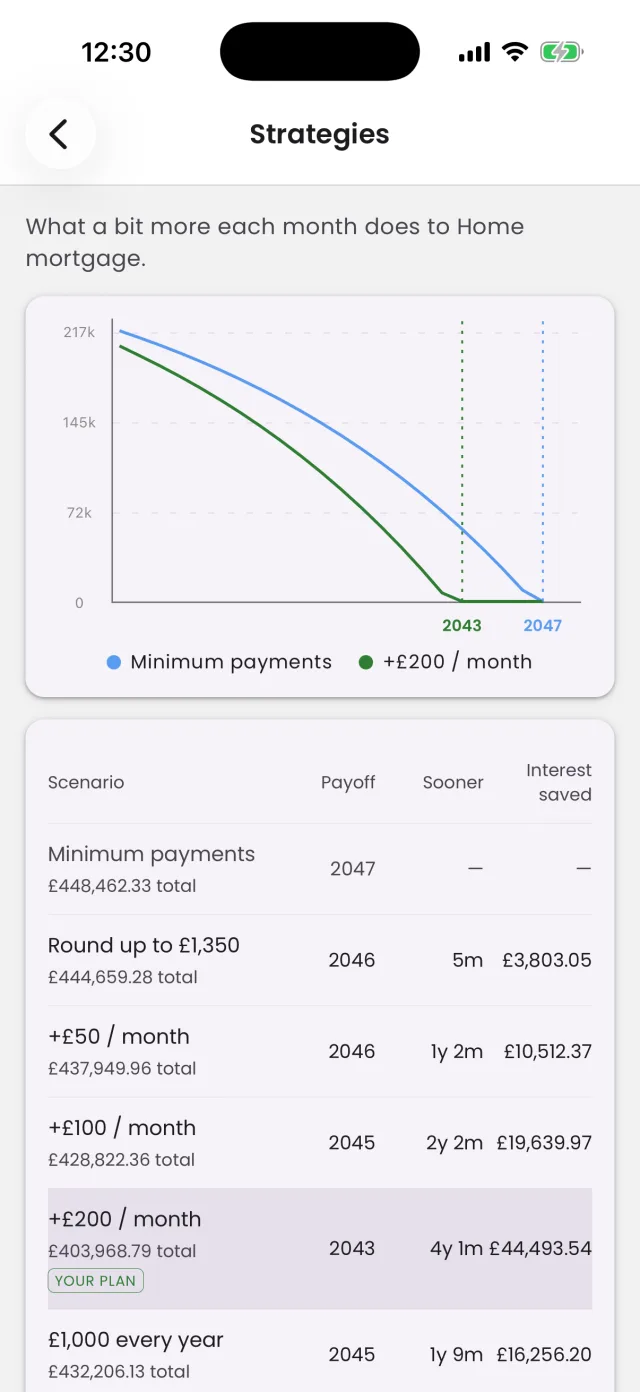
A bit more each month, a yearly or one-off lump sum, or an early settlement: see them all on one chart, with the payoff date, time saved, interest saved and the total you'll pay for each. In seconds.
GoLoanly starts you off with ready-made what-ifs. Add your own and keep the ones that fit your budget: 3 per loan on the free plan, unlimited with Plus.
3 · Stay on track
Reminders that keep you going
Overpaying works when you keep at it. GoLoanly reminds you, right on your phone:
- A heads-up a week before each lump sum or early settlement
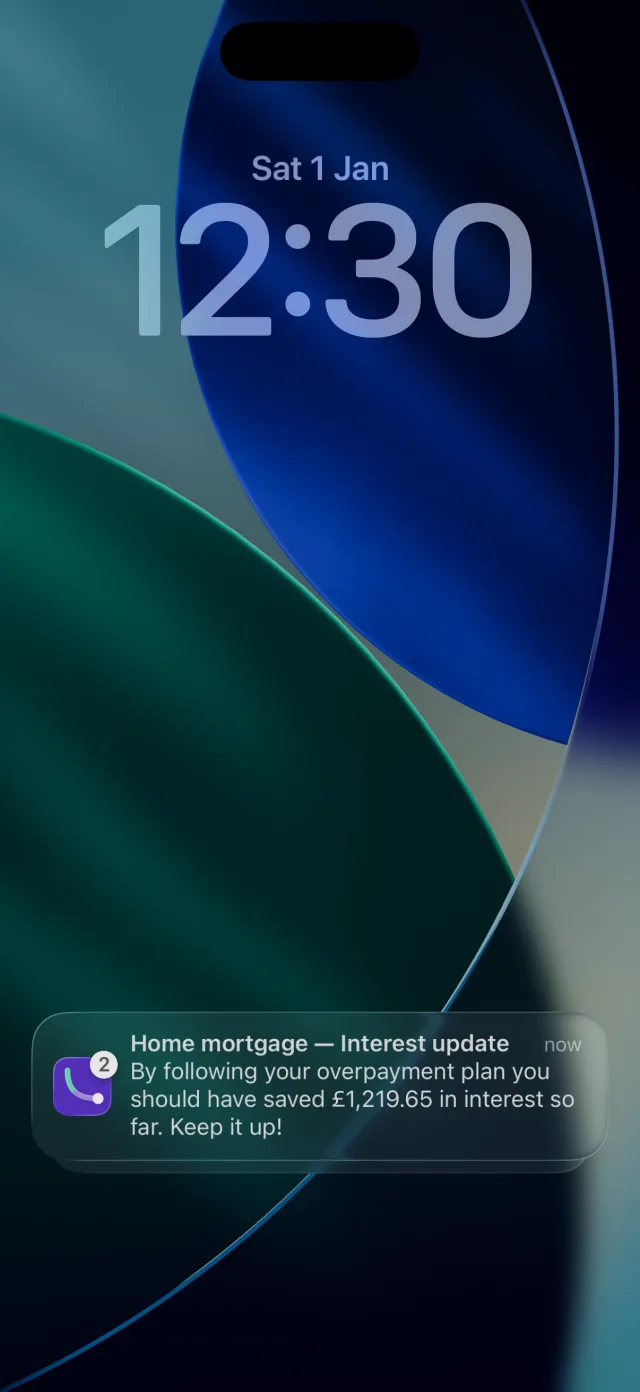
- Every 3 months, how much interest your plan should have saved you so far
- Every 2 months, a check-in to keep your rate and balance up to date
Free, offline and no account needed. Turn them on in Settings and pick the ones you want.
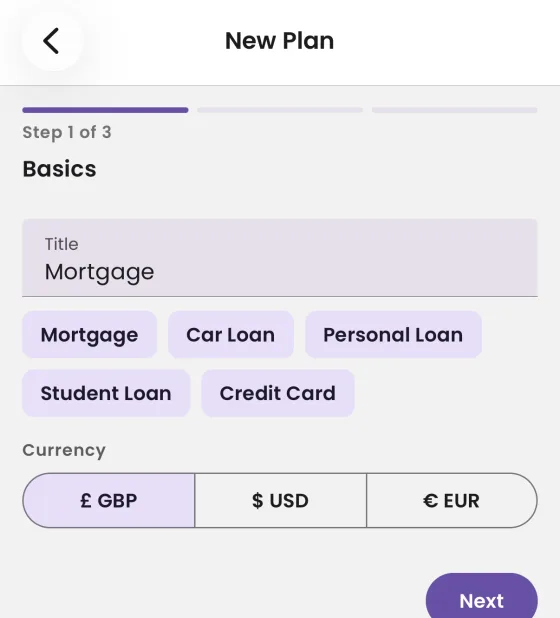
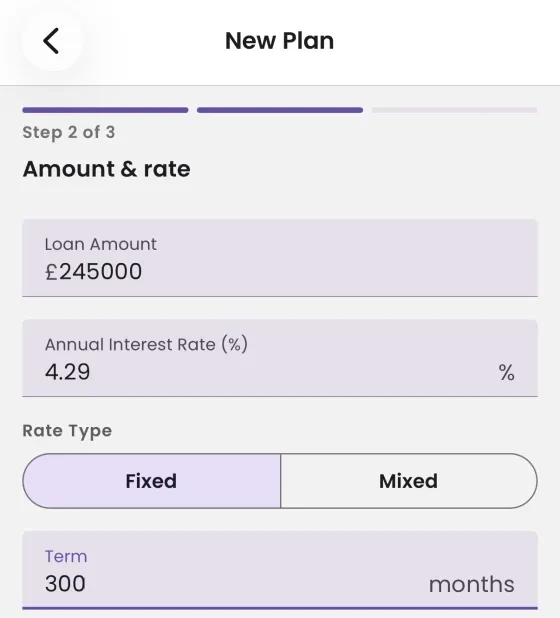
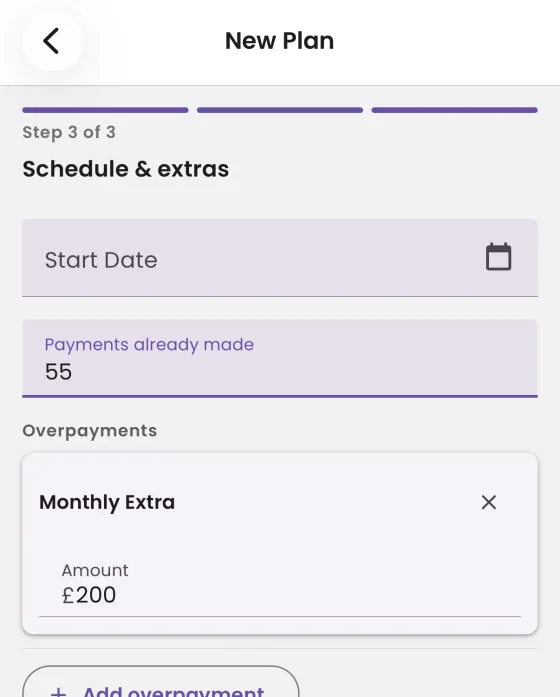
Add a loan in three short steps
-
Basics
Name the loan and pick its currency: pounds, euros or dollars.
-
Amount & rate
Loan amount, interest rate and term. Fixed, or fixed then variable.
-
Schedule & extras
Payments already made, and any overpayments you plan to make.
Or skip the typing: import your lender's payment schedule as a CSV file, or let the AI read the figures from your loan statement PDF.
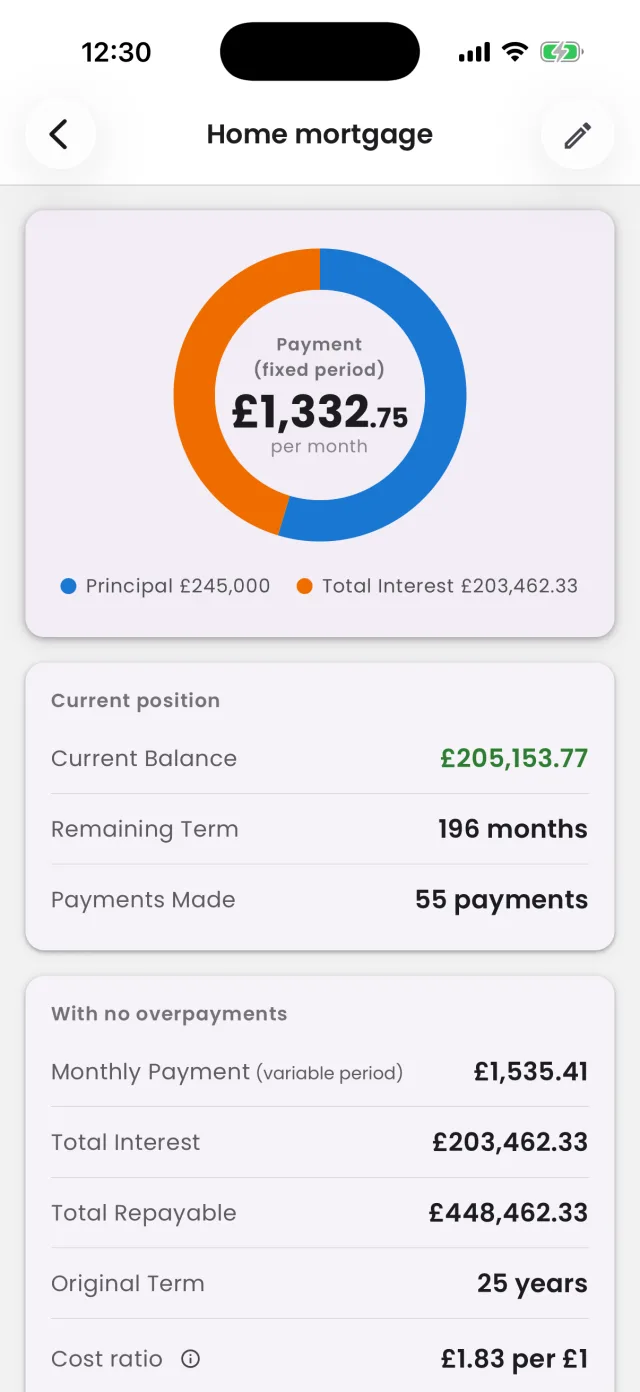
And everything else your loans need
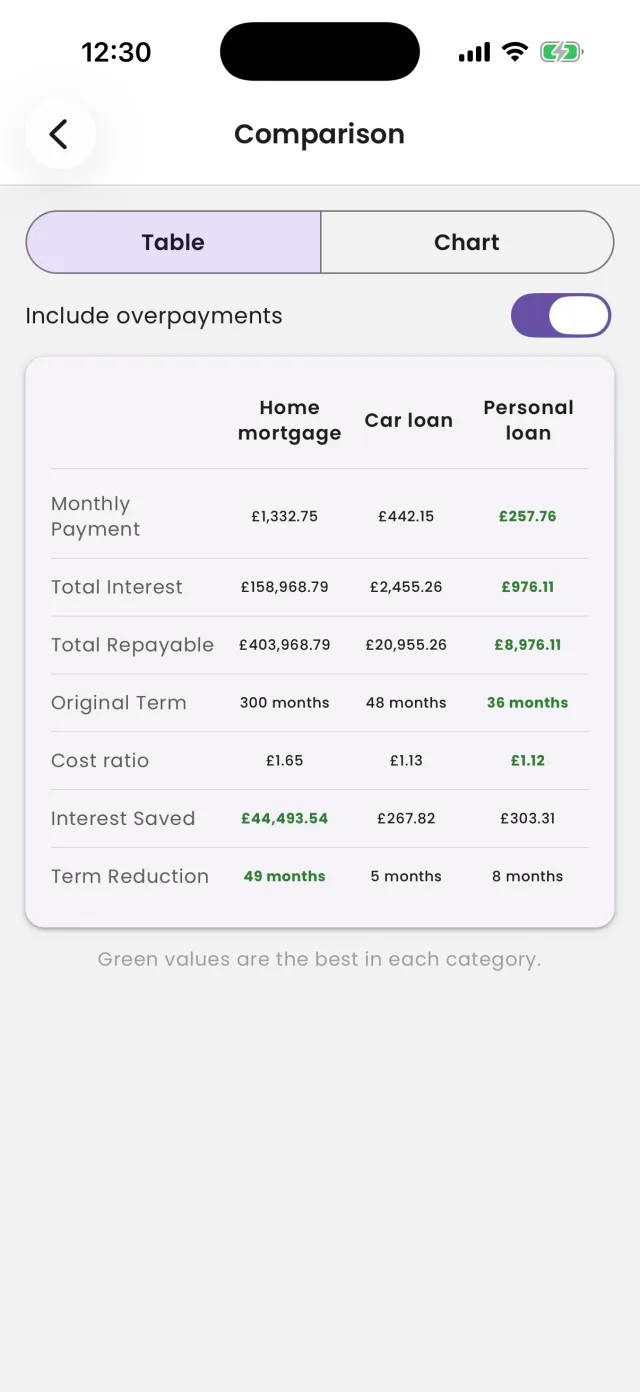
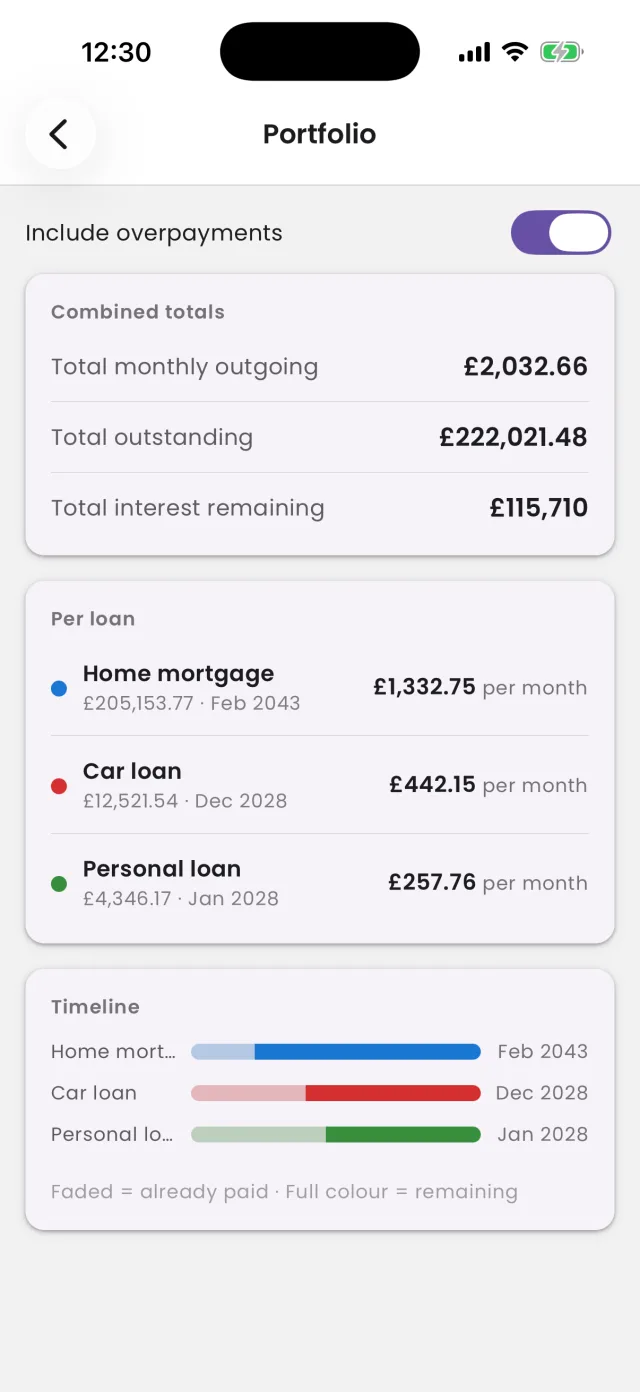
-
Fixed, variable or mixed
Fixed rates, variable rates, or a fixed period that reverts to a variable rate.
-
Compare plans
Payoff date, time saved and interest saved, side by side.
-
Portfolio
All your loans in one picture: total monthly payments and one debt-free date.
-
Import in seconds
From a CSV payment schedule, or let AI read your loan statement PDF.
-
Full schedule & export
Every payment, month by month. Export plans as PDF or Excel with Plus.
-
Private by design
The calculator works offline with no account. Your loan details are never shared or sold.
Works in pounds, euros and US dollars, with each plan in its own currency.
Free to start. Plus when you want more.
Free
- The loan calculator and reminders, offline, with no account
- Up to 5 loan plans with 3 custom strategies each
- With a free account: cloud backup and sync across your devices
- With a free account: 5 AI Coach questions a month and 2 PDF imports
GoLoanly Plus
Everything in Free, plus:
- Unlimited loan plans and strategies
- Unlimited AI Coach questions
- Unlimited PDF imports
- Export plans and comparisons as PDF or Excel
- A monthly AI review of your progress, by email
Monthly or yearly subscription through the App Store or Google Play. Cancel any time.
Questions
Is GoLoanly free?
Yes. The calculator and reminders are free, work offline and need no account, with up to 5 loan plans and 3 custom strategies each. A free account adds cloud backup and sync, 5 AI Coach questions a month and 2 PDF statement imports. GoLoanly Plus removes those limits and adds PDF and Excel export and a monthly AI review of your loans by email.
How much does GoLoanly Plus cost?
$4.99 a month or $49.99 a year, or the equivalent in your currency as shown in the App Store or Google Play. You can cancel at any time in your store account settings.
Does GoLoanly work offline? Do I need an account?
The calculator works fully offline with no account: create plans, try overpayment strategies, see the schedule and compare loans. You only need a free account for cloud backup, the AI Coach and PDF import.
What kinds of loans does it handle?
Any loan with regular monthly repayments: mortgages, car loans, personal loans, student loans and others, in pounds, euros or US dollars. It supports fixed rates, variable rates and mixed rates, where a fixed period is followed by a variable rate.
How does it handle variable rates?
You enter the rates you know, for example your fixed rate and the rate it reverts to. GoLoanly doesn't predict future rate changes: it keeps the current rate flat beyond what you've entered, the same way your lender's own schedule does. When your rate changes, update the plan and every figure recalculates.
How much can I save by overpaying?
It depends on your balance, rate and remaining term. As an example, on a £180,000 loan at 4.9% over 25 years, paying an extra £150 a month saves about £32,000 in interest and clears the loan 5 years and 4 months early. GoLoanly works out the exact figures for your own loan, for a monthly extra, a yearly or one-off lump sum, or an early settlement.
Should I overpay my mortgage or save the money instead?
GoLoanly shows you the numbers; the decision is yours. Overpaying saves interest at your loan's rate, while savings earn interest at the savings rate. Many people also keep an emergency fund first, and check with their lender for early repayment charges and any yearly overpayment allowance. GoLoanly is a planning tool, not financial advice.
Can I import my loan instead of typing it in?
Yes, from a CSV payment schedule or from a PDF loan statement, which AI reads for you. PDF import needs a free account: free accounts get 2 imports, and Plus is unlimited.
What does the AI Coach do?
It answers questions about your own plan in plain English, such as "what if I paid an extra £100 a month?" or "which loan should I overpay first?". The figures come from GoLoanly's own calculations, not from the AI. The Coach only sees your plan's numbers, not your name or account details.
What is a strategy?
A what-if for paying your loan off sooner: a bit more each month, a yearly or one-off lump sum, or an early settlement. The Strategies screen puts them all on one chart next to minimum payments, with the payoff date, time saved, interest saved and the total you'll pay for each. GoLoanly suggests some to start with, and you can add your own: 3 per loan on the free plan, unlimited with Plus.
Will GoLoanly remind me?
Yes, if you turn reminders on in Settings. You can get a reminder a week before each lump sum or early settlement, an update every 3 months on how much interest your plan should have saved you, and a check-in every 2 months to keep your plan up to date. Reminders are scheduled on your phone, so they work offline and need no account.
Is my data private?
Your loans stay on your phone unless you sign in. If you sign in, they're backed up to our servers in the EU. We never sell or share your data. The full details are in the Privacy Policy.
Can I delete my account?
Yes, in the app (Settings → Account → Delete account) or from the Delete your account page. Your account and its data are deleted 14 days after you ask.
Get GoLoanly
For iPhone, iPad, and Android phones and tablets.